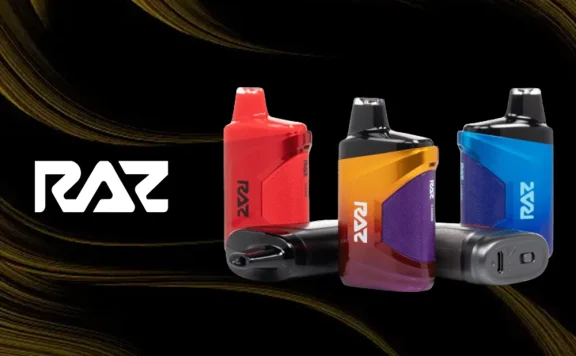
Today’s disposable vapes have huge e-liquid supplies that enable them to deliver up to thousands of puffs before running out of vape juice. To ensure that they can use their full liquid reservoirs, these vapes have rechargeable batteries. That’s a great thing for consumers because it means that the most convenient vapes on the market are also some of the most affordable and long lasting.
The not-so-great thing is that it also creates a potential point of failure. If you have a disposable vape that isn’t charging, a significant part of that huge e-liquid supply could end up being wasted. You definitely don’t want that to happen.
Here’s what to do with a disposable vape that’s not charging.
Disposable Vape Not Charging: Quick Troubleshooting Checklist
No time to read? Use this quick checklist to get your disposable vape up and running if it isn’t charging.
- Try using the device. It could be fully charged already.
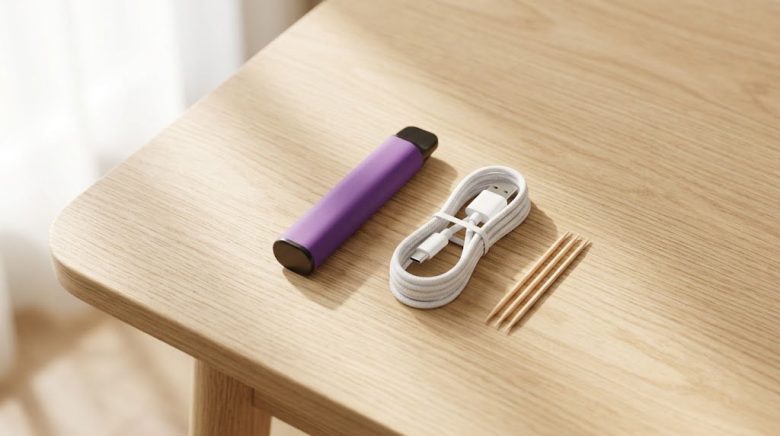
- Replace the USB-C cable. This fixes most charging issues.
- Change the power source. Disposable vapes typically don’t work with high-speed chargers.
- Clean the USB-C port. Dust and lint will prevent charging.
- Confirm authenticity. Top vape shops like pinksmokeshop only sell authentic vapes.
- Return the vape if you suspect that you’ve purchased a dud.
Try Using the Device
Before you worry too much about troubleshooting a disposable vape that isn’t charging, you should try using the device. Does it work? If so, you don’t actually have a problem. Maybe you’ve already charged the vape and just forgot about it. A disposable vape won’t try to charge when you connect it to a power source if it’s fully charged already.
Replace the USB-C Cable
Replacing the USB-C cable is the most important thing to do with any disposable vape that isn’t charging. USB cables are often some of the most-used items in any household, and you might use the same cable to charge several different devices every day. USB cables are often manufactured very cheaply, though, and they’ve become notorious for having long-term reliability issues. In most cases, replacing the USB cable instantly fixes a vape that isn’t charging.
Change the Power Source
If your disposable vape doesn’t start charging when you replace the USB cable, the next thing to check is the power source you’re using. The best way to charge a disposable vape is always through a computer’s USB port because a computer should have no difficulty negotiating the correct charging speed with the charging circuit in the vape. Alternatively, you can also connect your vape to a wall adapter. The ideal wall adapter for a disposable vape is typically one with a 5-volt, 1-amp output.
Don’t attempt to charge a disposable vape with a high-speed wall adapter for a smartphone or tablet. These types of wall adapters are designed for quick-charging routines that a disposable vape will not support. The device could potentially overheat, or it may not charge at all.
Clean the USB-C Port
Another reason why a disposable vape might not charge is because the USB-C port is dirty. You probably carry your vape in your pocket almost everywhere, and that means the charging port is particularly likely to collect lint and dust. That’s a problem because your vape can’t charge unless the contact points on the cable touch the contact points in the device’s USB-C port.
The good news is that this is an easy problem to fix because you can just remove the debris with a toothpick. If the toothpick doesn’t fit in the port, break it in half. Gently scrape out the lint and dust, being very careful not to scratch the delicate gold-plated contacts.
Confirm Authenticity
If you’re unable to get your disposable vape to charge regardless of what you try, you have one of two possible problems. Either you’ve been unfortunate enough to purchase a dud, or the device is actually fake. We’ll address the second scenario first.
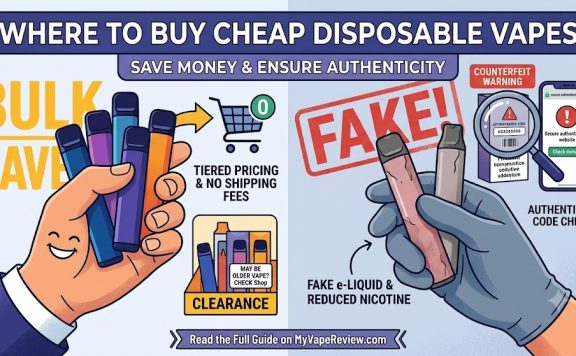
Did you know that fake vapes exist? They do, and they’re actually more common than you might imagine. There are plenty of major concerns associated with buying a counterfeit vape, and one of the biggest concerns is the fact that the device could include a battery that either failed basic quality checks or was repurposed from a used vape. That’s a major safety issue, and it could also potentially mean that the vape won’t charge.
Some common signs of a fake vape include:
- Poor-quality packaging, which might include mushy cardstock, blurry printing or typos.
- Poor fit and finish on the device, which might include mismatched colors, rattling parts or printing that you can easily scratch off with your fingernail.
- Unusual flavor changes, especially if you’ve bought the same flavor many times and now find that it suddenly seems to taste different.
Always buy your vapes from a trusted vape shop. Don’t forget to check the authenticity code on the manufacturer’s website before opening and using the device.
Return the Vape
If your disposable vape still isn’t charging after you’ve followed the steps in this article, it’s likely that the device is faulty. In this case, the next step is to return it to the seller if you can. Faulty disposable vapes from major brands are rare, but you may encounter them from time to time. That’s why it’s very valuable to know the return policies at your favorite vape shop.
- Some vape shops won’t give you a problem if you want to return a product. This is especially likely to be the case if you’re a regular customer.
- Some vape shops only accept returns within 24 hours of the original purchase because they don’t want customers using vapes until they’re empty and then trying to return them.
- Some vape shops don’t accept returns of disposable vapes at all.
Regardless of the shop’s return policy, you should be aware that many vape shops won’t accept a return under any circumstances of a product that’s already been replaced. You may be asked to open the replacement device and confirm that it works before leaving the store.